
Mobile inventory data collection
Mobile data collection that fits into your ERP
Receiving, shipping, stocktaking, transfers and price labels on iPhone and Android, even offline. Documents reach your system through a versioned API, a file in your format or an AI assistant via MCP.
Download for AndroidThe app is free. No personal account is needed on the device — just a PIN issued by your organisation’s administrator.
- 5
- document types, from receiving to price labels
- 4
- export formats: CSV, Excel, JSON, XML
- 3
- input methods: camera, photo, scanner
- 11
- public API v1 operations
- 0
- personal accounts on the device
01 / Complete workflow
From your catalog to a document in your system
Run each step manually in the console, then automate it. The data model stays the same: what you have tried manually also works through the API.
- SourceYour ERPBusiness software, a warehouse system or a spreadsheet
- Step 1CatalogManually, from a file using a template or via the API
- Step 2DevicesConnect with a PIN and work offline
- Step 3DocumentsVersions, history and server sync
- DestinationBack to your ERPAPI, a file in your format or MCP
02 / Mobile terminal
Turn an employee’s phone into a data collection terminal
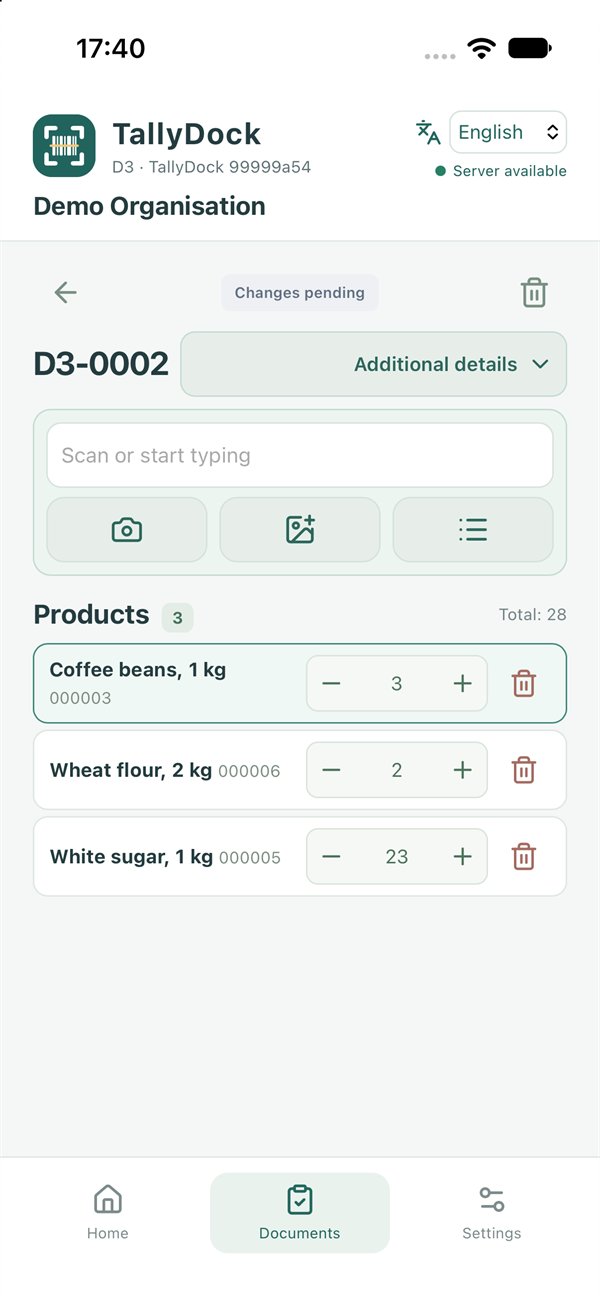
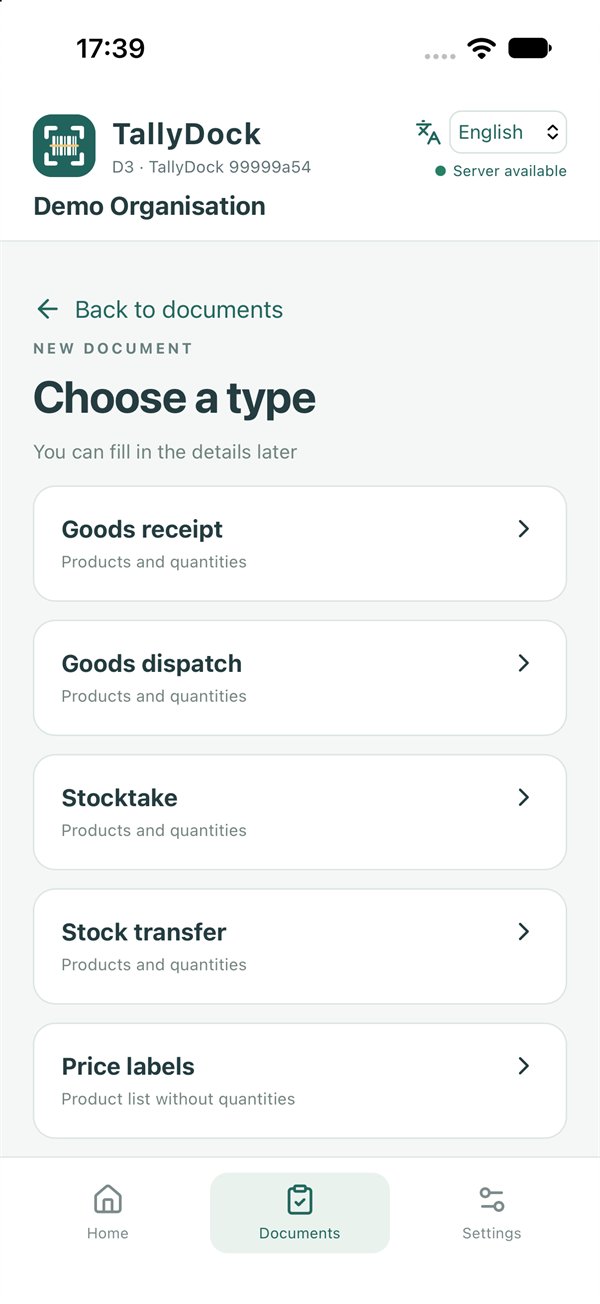
Five document types in one app. Choose a type, scan and enter quantities — fill in the document details later.
- ReceivingProducts and quantities received
- ShippingProducts and quantities dispatched
- StocktakingCount stock and continue scanning saved documents
- TransferMove products between locations
- Price labelsA list of products for repricing, without quantities
Three input methods
Use the camera, read a barcode from a photo or connect a hardware scanner in keyboard mode.
Work offline
The catalog and documents are stored on the device. Sync when a connection is available.
Find products quickly
Scan a barcode, use a product code or choose from the list without typing.
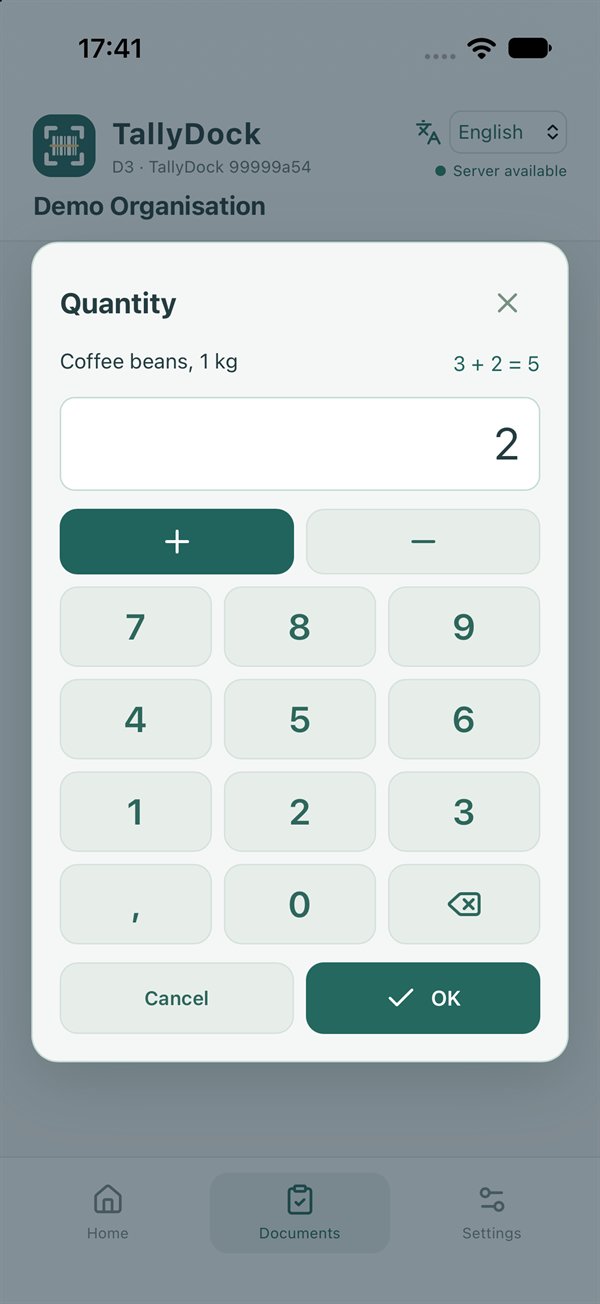
Enter quantities accurately
Inline entry, a numeric keypad and a built-in calculator.
03 / Catalog
Use your existing export. Keep your ERP export unchanged
Upload a file your system already produces. Set up an import template once with AI: the model suggests field mappings, and you review the preview before saving any data.
Every subsequent import follows the saved rules, deterministically and without AI. Run it in the console or via the API using a permanent template key.
| Your file’s field | TallyDock field |
|---|---|
| ART_NO | code |
| EAN, EAN_BOX | barcodes[] |
| NAME_EN, NAME_LT | names[] |
| "004750123000017" | "004750123000017" · zeros preserved |
Keep leading zeros
Product codes and barcodes are stored as strings. Numeric values are never silently converted.
Multilingual catalog
Up to 32 barcodes and 32 names in different languages per product.
Group by ERP code
Repeated rows are merged and duplicate barcodes removed before validation.
AI requires confirmation
See exactly what will be sent before submitting a sample to the model.
04 / Integration
An API built for retries, concurrent updates and connection failures
Import catalogs, edit individual products, read devices and documents, export and delete. The contract is documented in OpenAPI, reference material is in the console, and a ready-made Postman collection helps you make your first requests.
curl -X POST "$API/catalog/imports" \
  -H "Authorization: Bearer $TOKEN" \
  -H "Idempotency-Key: erp:import:000231" \
  -H 'If-Match: "<CATALOG_ETAG>"' \
  --data-binary @catalog.json

HTTP/1.1 200 OK
{
  "operation_id": "erp:import:000231",
  "status": "succeeded",
  "counts": { "created": 12, "updated": 3, "deleted": 0,
              "unchanged": 0, "total": 15 }
}
Idempotency-KeyRetry without duplicating operations
Create the key before sending. A retry after a failure returns the original result instead of creating a duplicate.
ETag · If-MatchPrevent lost updates
Catalog and document versions are checked when changes are applied. A stale update receives 412 instead of overwriting someone else’s changes.
202 · operation_id · Retry-AfterTrack long-running operations
Small catalogs are applied in one request. Large ones run asynchronously, with status available by operation ID.
error.code · request_idErrors your code can handle
Consistent JSON with a stable error code and field location. No stack traces, SQL or secrets.
scopesGive each key the permissions it needs
Assign permitted actions to each integration. Revoke access in the console; only a hash is stored on the server.
GET /documentsReading never deletes data
Retrieving and exporting documents does not delete them. Deletion requires a separate request and your decision.
05 / AI assistants via MCP
Describe the task in plain words. Grant access explicitly
Connect an AI assistant via MCP to find products, collect documents for a period or prepare an export. The assistant uses the same operations as the public API and can help you build your own HTTP integration.
- OAuth with a consent screen: see the client, organisation and specific permissions before confirming.
- No passwords or keys pasted into chat.
- Revoke any connection in the console.
Find last week’s stocktaking documents and export them to Excel.
I found last week’s stocktaking documents. The Excel file with your organisation’s fields is ready to download.
06 / Web console
Manage everything from your browser
Your organisation’s products, devices, documents and access in one console. Start manually and automate when you are ready.
Devices
Connect with a PIN, see the last sync time, set device names and document prefixes, and disconnect unused devices.
Documents
View lines and quantities. Export selected documents to CSV, Excel, JSON or XML with your fields and column names.
Products
Add and edit products, barcodes and translations with conflict protection. Display an EAN-13 barcode on screen to try scanning it.
Organisations
Manage several organisations with one account, switch between them and keep limits and usage in view.
07 / Security and data
Each organisation’s data stays within its own boundaries
The service is developed and maintained by Interdevelopment UAB, Lithuania, European Union.
- Console sign-in
- Google account, optional TOTP two-factor authentication and backup codes.
- Devices
- No personal accounts: connect with a PIN and disconnect from the console with confirmation.
- API keys
- Only a cryptographic hash is stored. The secret is kept out of URLs, logs and analytics.
- Isolation
- Organisation boundaries are checked for every query, write, cursor and receipt.
- Deletion
- Delete your account and organisation yourself, together with the associated data.
08 / Get started
Try the full workflow with your own data — for free
The mobile app is free. Your organisation gets a free plan with a real API and no artificial changes to your data for demo purposes. Current limits are visible in the console.
For developers, integrators and partners
Deploy TallyDock for your clients and build your own business around it
A programme that grows with you: from your first integration to an app under your own brand on our infrastructure.
L1IntegrationAPI, MCP and a free plan for developmentL2PartnershipClient implementation and supportL3DistributionSales in your region or industryL4White labelYour brand, our infrastructure